How to use Blender with AI coding agents
Published October 21, 2026
Summary
An agent built a Blender scene in Python and rendered it headlessly: 8 minutes on a CPU, 9.6 seconds on a cloud GPU. The setup, the costs, and the alternatives.
Blender has a full Python API, bpy, and renders from the command line. That means a coding agent can build a scene and render it without touching the UI. The hard part is the render. Cycles, Blender's path tracer, wants a GPU, and Replicas workspaces don't have one.
So I had an agent in a Replicas workspace build a scene in Python, render it on the workspace CPU, then render the same file on six cloud GPUs with GPU sandboxes. All the GPU runs behind this guide cost about $1.80 at Modal's list prices.

The final frame at 1600×1000 and 512 samples: 8m 13s on the workspace CPU, 9.6s on an L40S.
Building the scene in Python
Everything in that frame comes from one 101-line script. The agent used bmesh to build 799 hexagonal columns with heights from a noise function, gave them three materials (graphite, green emission, glass), added three area lights and a camera with depth of field, and saved scene.blend:
An agent can't watch a viewport, but it can read an image. So the loop was: edit the script, render a half-size preview at 32 samples on the CPU, look at the PNG, repeat. Each preview took about 10 seconds. The first one had blown-out white emitters and an almost flat field. Two rounds later it looked like this:

The 10-second CPU preview the agent checked before rendering the full frame.
see the full scene script
Previewing on the workspace desktop
Every workspace has a Linux desktop (how we made it fast), and Blender's UI runs on it with software OpenGL (Mesa's llvmpipe). That helps when a person wants to orbit the scene or check the framing. Cycles' rendered viewport works too, on the CPU. After a minute it was still grainy:
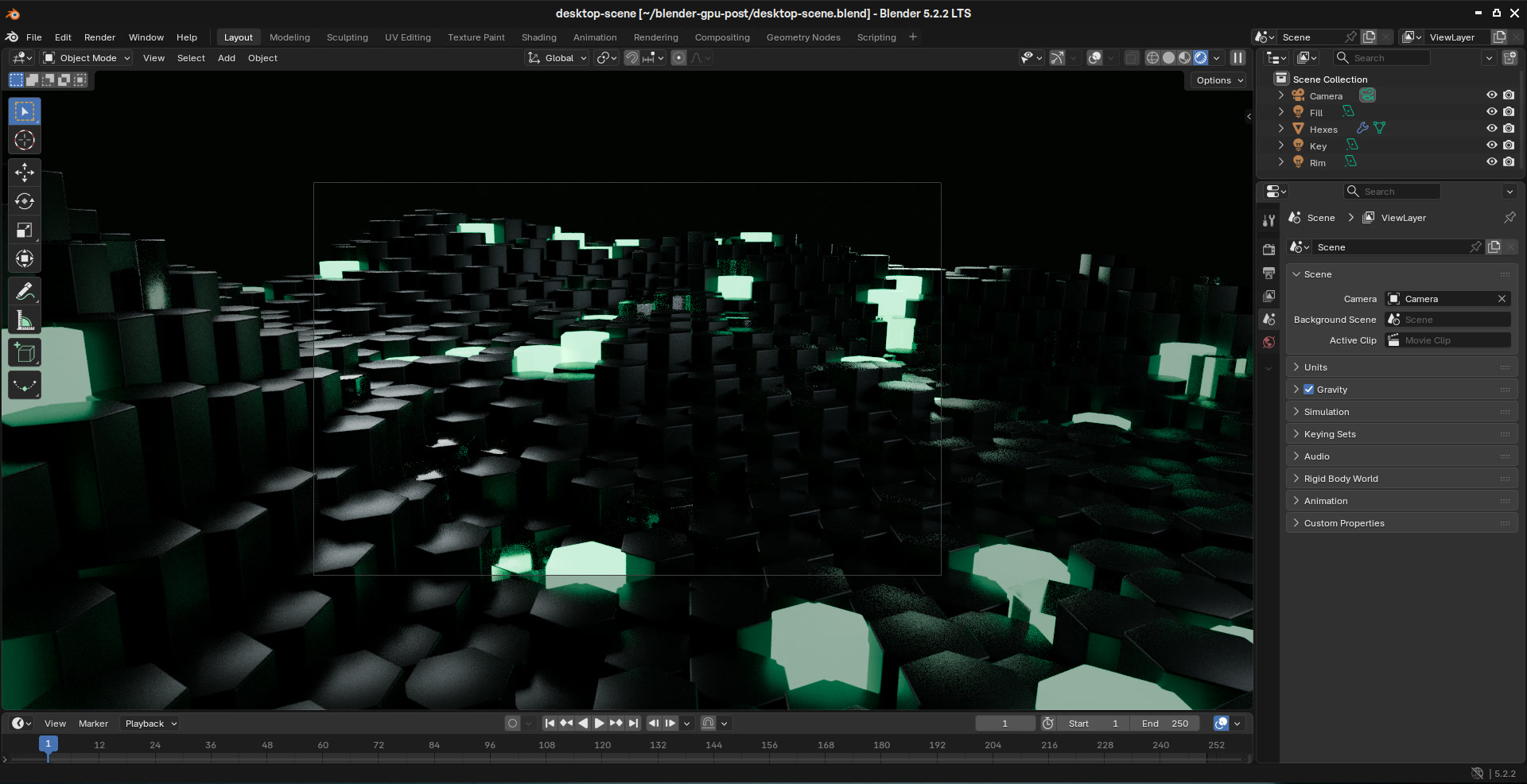
Blender 5.2.2 on the workspace desktop, rendered viewport after 60 seconds on 8 vCPUs.
The full frame on the same CPU took 8 minutes 13 seconds.
Sending the render to a GPU
replicas gpu is installed and signed in in every workspace. The agent wrote a short script that installs Blender in the sandbox and renders with OptiX. The --cycles-device flag is documented in Blender's command line arguments.
Then it ran the script on an L40S:
That starts a sandbox, copies the working directory in (scene.blend is 260 KB), runs the script, copies out/ back, and stops the sandbox. The whole run took under a minute:
| Step | Time |
|---|---|
| Start the sandbox and copy files in | 5.9s |
Install system libraries with apt-get | 16.1s |
| Download and unpack Blender 5.2.2 | 22.0s |
| Render 512 samples | 11.9s |
| Copy the PNG back and stop | 1.9s |
| Total | 57.8s |
Each step timed inside one run. That run also rendered the frame a second time, which is left out of the total.
At Modal's L40S price of $0.000542 per second, that's about 3 cents of GPU time, and two thirds of it went to installing Blender. For a batch of frames, keep one sandbox open with replicas gpu create and render many times in it. The second render in the same sandbox took 8.6 seconds.
The CPU and GPU frames came out the same. The SSIM between the two PNGs was 0.99999.
Which GPU to pick
Next I ran the same file on six GPU types, each in a fresh sandbox. Times are Blender's own render timer, and the cost is that time at Modal's per-second price:
Same .blend · first render on each device
Render time by device
Blender 5.2.2 · Cycles · OptiX on GPUs
1600×1000 · 512 samples
Render time · GPU cost
lower is better
Workspace CPU
8m 13s
no GPU
L40S
9.6s
$0.0052
A10G
21.3s
$0.0065
L4
21.4s
$0.0048
T4
45.0s
$0.0074
H100
4m 36s
$0.3028
A100 40GB
4m 59s
$0.1745
The most expensive GPUs were the slowest. On the A100 and H100, Blender spent about 4.5 minutes on "Loading render kernels" before the first sample. Blender 5.2.2 ships precompiled CUDA kernels for sm_50, sm_52, sm_60, sm_70, sm_75, sm_86, and sm_120. The L4 and L40S (sm_89) can run the sm_86 kernels. The A100 (sm_80) and H100 (sm_90) can't, so the driver compiles them on first use, and that work is gone when the sandbox stops. Even after compiling, the second H100 render took 14.8s, slower than the L40S at twice the price per second.
In this test, the L40S was the fastest and the L4 the cheapest per frame. CUDA instead of OptiX on the L4 was 18% slower, at 23.8s against 20.1s.
Other GPU apps work the same way
None of this is specific to Blender. If an app has a CLI or an HTTP API, the agent can install it in a sandbox, run it, and pull the results back.
Video encoding with NVENC
I transcoded the start of Blender's Big Buck Bunny 4K master with the same ffmpeg 8.1 build in the workspace and on an L4:
| Job | Workspace CPU, 8 vCPUs | L4 with NVENC |
|---|---|---|
| 60s of 4K to 1080p H.264 | 29.5s · 26.6 MB · SSIM 0.983 | 9.1s · 26.3 MB · SSIM 0.973 |
| 20s of 4K to 4K HEVC | 56.2s · 22.9 MB · SSIM 0.993 | 7.3s · 25.3 MB · SSIM 0.990 |
The CPU side used x264 and x265 at the medium preset. NVENC used preset p5 at about the same bitrates. The GPU was 3× faster for 1080p H.264 and 7.7× faster for 4K HEVC, with slightly lower quality per byte. For one short 1080p clip, the workspace CPU is fine. For 4K or a folder of files, the GPU pays off. The source file is 633 MB, so the agent downloaded it inside the sandbox. Each push or pull is capped at 1 GiB.
Apps with a UI: ComfyUI through --port
Some GPU apps are meant to be used in a browser. --port gives a port in the sandbox an HTTPS URL, so the agent can start ComfyUI on an A10G and open it in the workspace browser, or send the link to a person:
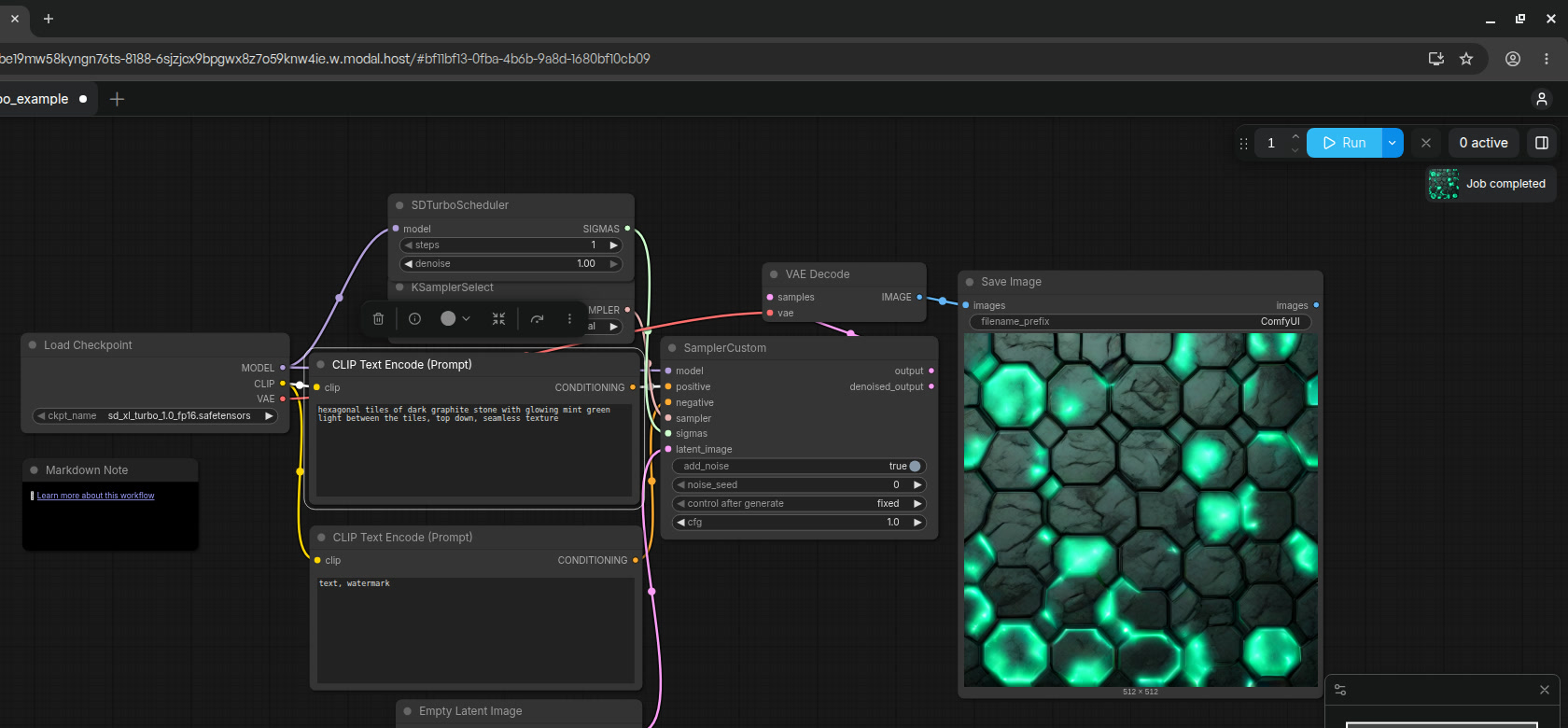
ComfyUI's SDXL Turbo template on an A10G. 8.3s for the first 512×512 image, which includes loading the model, then 0.6s.
Setup took longer than generating. The default image's PyTorch was too old for current ComfyUI, so the agent upgraded it, and the 6.9 GB SDXL Turbo checkpoint took 5m 23s to download inside the sandbox. The URL is public, and ComfyUI didn't ask me to sign in, so anyone with the link can use it until the sandbox stops.
Other ways to run Blender with an agent
For some work, another setup fits better:
| Setup | Where Blender runs | Good for | Watch out for |
|---|---|---|---|
| Blender MCP | Your computer and GPU | Modeling with Claude, Cursor, Codex, and others while you watch the viewport | It runs arbitrary Python in your Blender session, its socket has no authentication, and your machine has to stay on |
| SheepIt | Other members' machines | Free renders of finished animations | You earn queue priority by rendering for others, and projects are capped at 2,048 MB |
| Fox Renderfarm | Their render nodes | Paid renders, with a Blender plugin and a $25 trial | Built for uploading a finished .blend, not for an agent's edit-and-render loop |
| Modal, RunPod, Vast.ai | GPUs you rent | Lower hourly prices, consumer cards like the RTX 4090, and full control | You manage the machines, images, and credentials, and give the agent access to them |
| Replicas GPU sandboxes | A GPU the agent starts from its workspace | Agent loops that edit, render, and check next to the code | Datacenter GPUs only, plus the limits below |
Renting directly is cheaper per hour: RunPod lists an L40S at $0.79 to $1.09 per hour, while Modal charges $1.95. Modal's own Blender example is the one to read if you want to fan frames out across many GPUs yourself. It renders on up to 10 L40S GPUs in parallel.
Limits to plan around
From the GPU sandbox docs, plus one thing I noticed:
- 3 running sandboxes per workspace and 10 per organization.
- A 1-hour lifetime by default, up to 24 hours with
--timeout. - Sandboxes stop after 10 minutes with no running command, or up to 1 hour with
--idle-timeout. - 1 GiB per
pushorpull. Download large files inside the sandbox. - Sandboxes stop when their workspace sleeps, is archived, or is deleted, and their files go with them. Pull results first.
- Not available to organizations with a signed BAA.
nprocreported 1 CPU in the sandboxes I checked, so unpacking Blender was slow. Build scenes in the workspace and send only the render.
GPU sandboxes are in every Replicas workspace. The docs cover every flag.