# Themes, wallpapers and Manager avatars
Give each Manager its own avatar, set a wallpaper behind the home screen, and publish your whole setup as a theme others can apply in one click.
- Author: Connor Loi
- Published: 2026-11-19
- Category: Announcements
- Canonical: https://replicas.dev/blog/themes-wallpapers-and-manager-avatars
You can now give each Manager its own avatar, set a wallpaper behind the home screen, and share a whole look as a theme.
## Why we built it
We spend most of our day in Replicas, and so do the teams that use it. When you have a handful of Managers running at once, you should be able to tell them apart in the sidebar at a glance, and the app you live in should look the way you want it to.
## Manager avatars
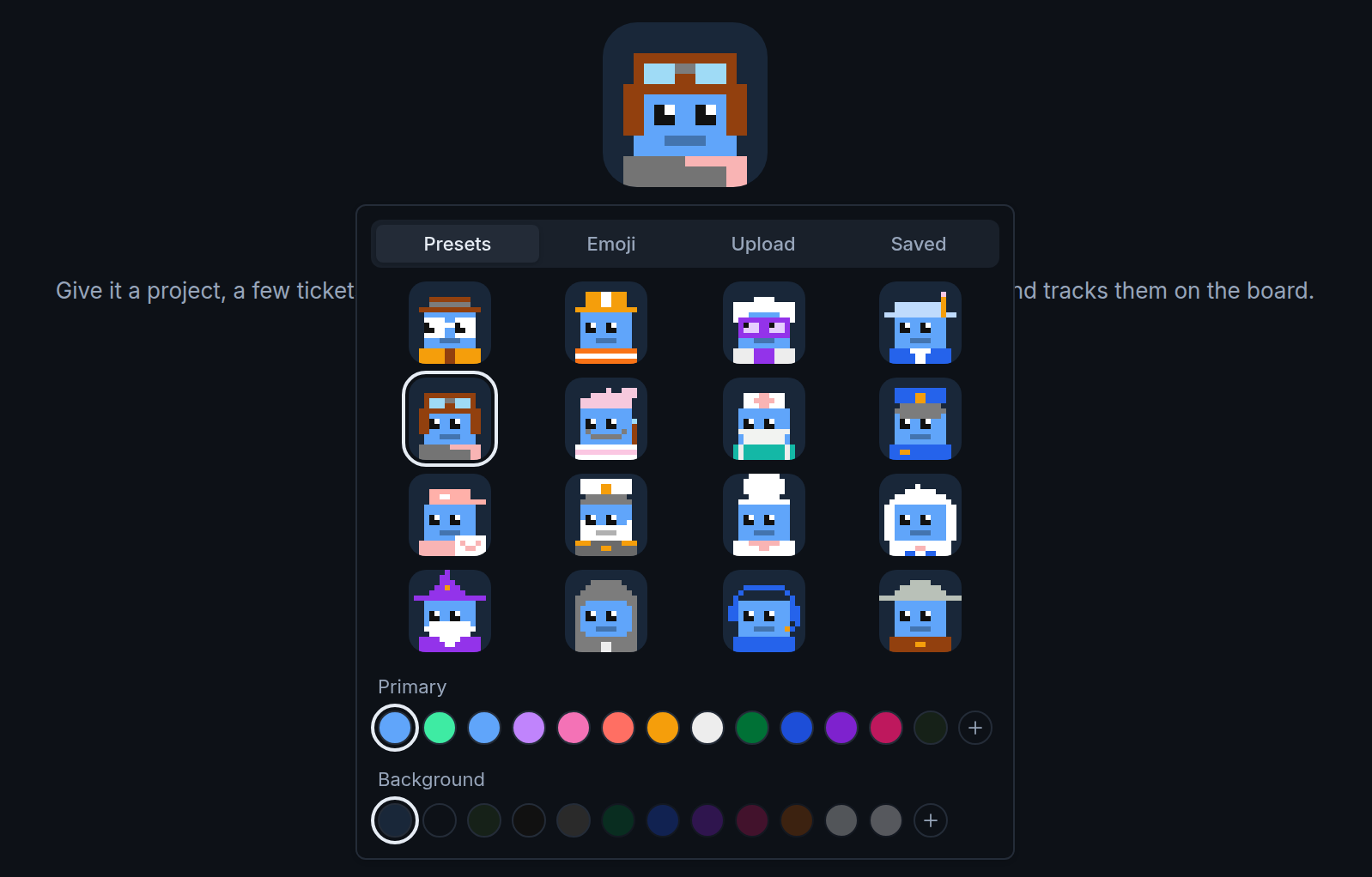
Every Manager now has an avatar. New ones get a Pixel Crew character, one of 16 pixel-art roles like a detective, a chef, an astronaut or a wizard, and you choose its body and tile colors. They also look around every so often. If you'd rather, use an emoji or upload an image and crop it to a square. A new Manager opens with its avatar large and its name ready to edit, so naming it is the first thing you do.
## Wallpapers
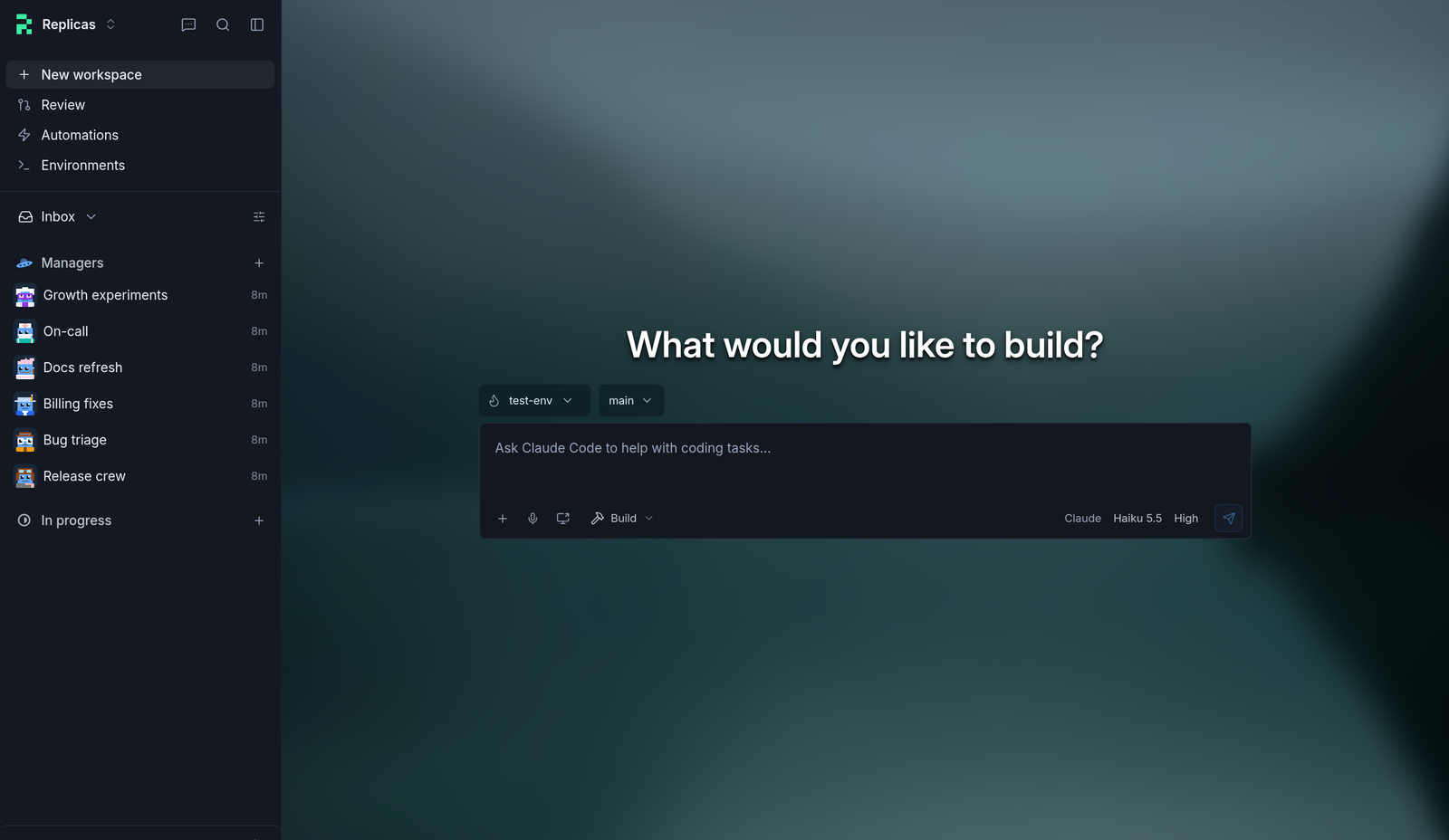
Pick an image in **Appearance** and it shows behind the home screen. **Soft** blurs it so the composer stays easy to read, **Duotone** tints it with your color theme, and **Dither** redraws it as fine dots. GIFs and videos play too.
## Themes
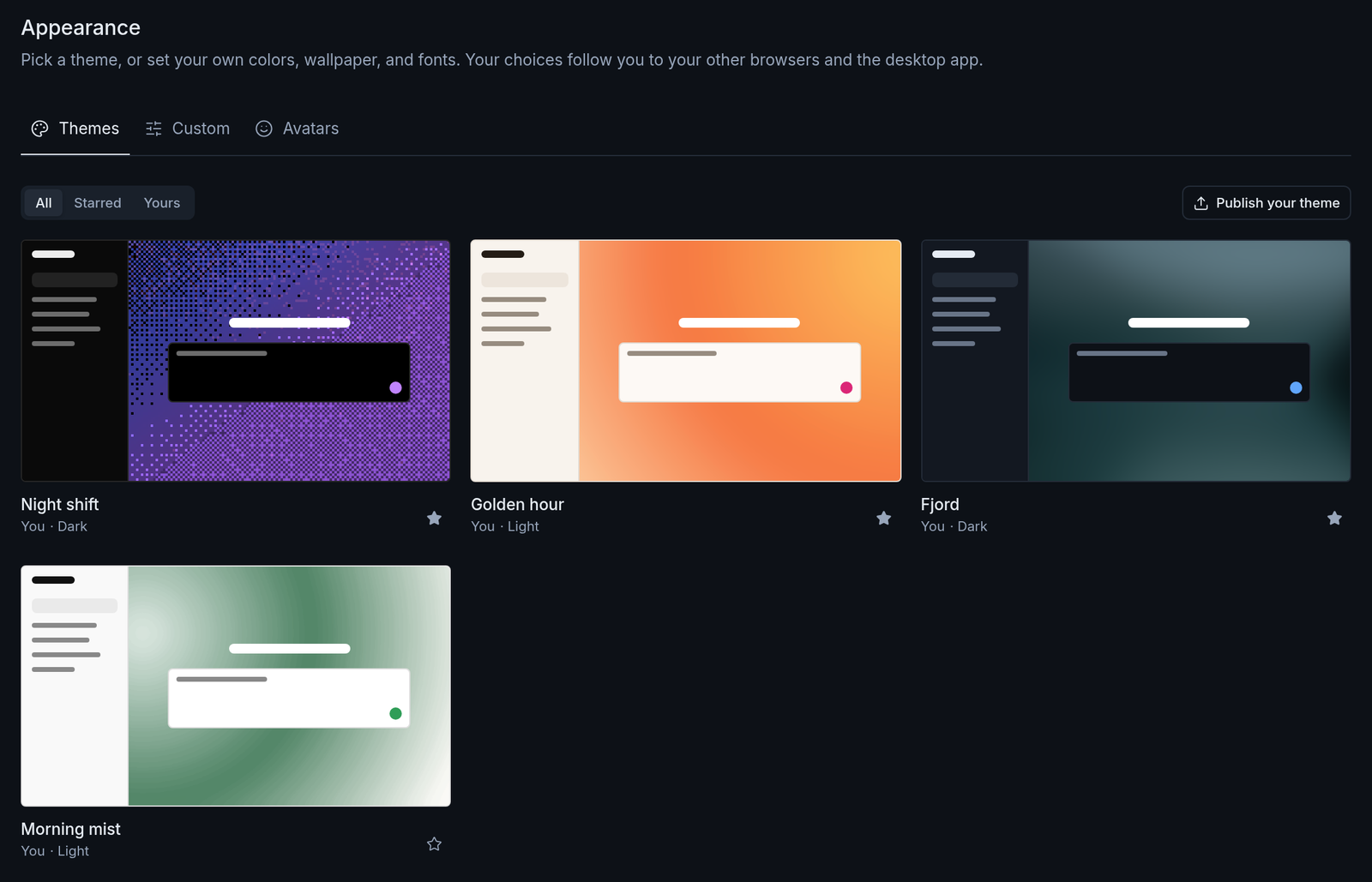
A theme now holds your whole setup: light and dark colors, the wallpaper and its effect, text size and fonts. Applying one sets all of it at once.
The **Themes** tab in Appearance is a gallery of themes people have published. Browse **All**, **Starred** or **Yours**, star the ones you like, and choose **Publish your theme** to share yours. The form starts from what you have set up now, so publishing usually takes a name and a click. The **Avatars** tab works the same way for Manager avatars.
Manager avatars show in the mobile app too. To try it, choose **Appearance** in the account menu at the bottom of the sidebar, or read the [Appearance docs](https://docs.replicas.dev/features/desktop-app#themes).
 ## Wallpapers
Pick an image in **Appearance** and it shows behind the home screen. **Soft** blurs it so the composer stays easy to read, **Duotone** tints it with your color theme, and **Dither** redraws it as fine dots. GIFs and videos play too.
 ## Themes
A theme now holds your whole setup: light and dark colors, the wallpaper and its effect, text size and fonts. Applying one sets all of it at once.
The **Themes** tab in Appearance is a gallery of themes people have published. Browse **All**, **Starred** or **Yours**, star the ones you like, and choose **Publish your theme** to share yours. The form starts from what you have set up now, so publishing usually takes a name and a click. The **Avatars** tab works the same way for Manager avatars.
 Manager avatars show in the mobile app too. To try it, choose **Appearance** in the account menu at the bottom of the sidebar, or read the [Appearance docs](https://docs.replicas.dev/features/desktop-app#themes).